
Google Street View Publishing with 360are
Publish 360 Photos to Google Street View
360are makes it easy to publish 360-degree panoramas directly to Google Street View and Google Maps. Whether you are a real estate professional, hotel owner, tourism operator, photographer, architect, educator, or business owner, you can quickly share immersive experiences with millions of Google Maps users worldwide.
Our Google Street View integration allows you to connect your Google account, publish panoramic images, manage updates, and monitor publishing status directly from your 360are dashboard.
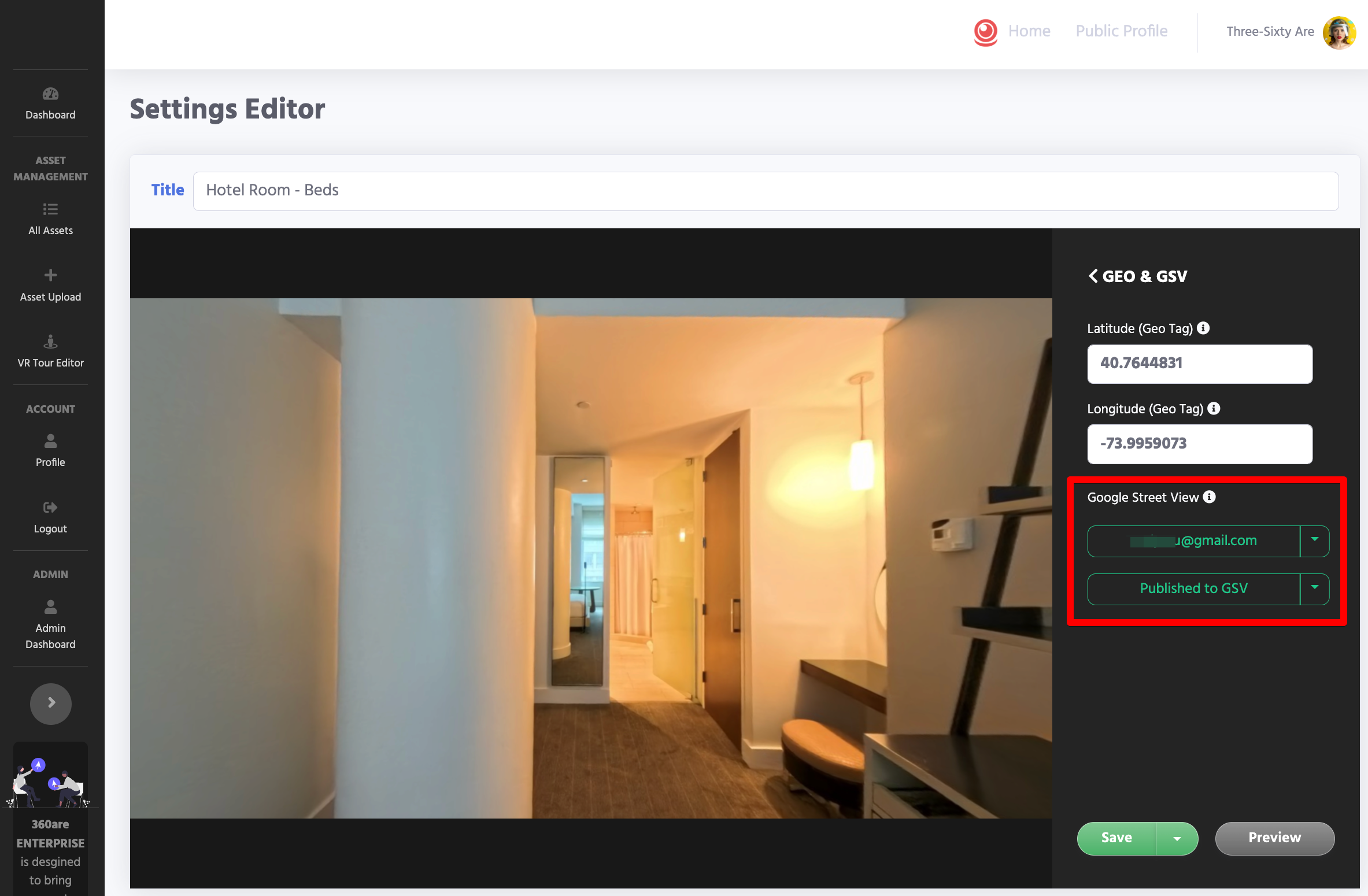
Availability: Google Street View publishing is included with PLUS and BUSINESS. See current plans. This guide covers publishing individual panoramas. A multi-scene tour hosted on 360are is separate from a connected Street View experience; do not assume its hotspots, floor map, or AI Chat transfer to Google.
What is Google Street View?
Google Street View is one of the world's largest collections of immersive imagery. It allows people to explore destinations, businesses, hotels, attractions, neighborhoods, and landmarks using interactive 360-degree photos.
When your panorama is published to Google Street View, visitors can discover and explore it through:
- Google Maps
- Google Street View
- Google Search
- Location pages where Google displays the submitted imagery
- Mobile devices
- Desktop browsers
- Other Google viewing surfaces where the imagery is supported
Publishing to Google Street View can increase visibility, improve customer engagement, and help showcase spaces before visitors arrive.
Google Street View Features in 360are
Current Google Street View capabilities include:
Connect Your Google Account
Securely connect your Google account using Google's official OAuth authentication process.
Features include:
- Secure authentication
- Google account management
- Automatic token refresh
- Reconnect support
- Publishing permissions management
Publish 360 Panoramas
Upload and publish immersive panoramic images directly from 360are.
Supported features:
- Equirectangular 360 images
- High-resolution panoramas
- Geographic coordinates
- Heading, pitch, and roll positioning
- Publishing status tracking
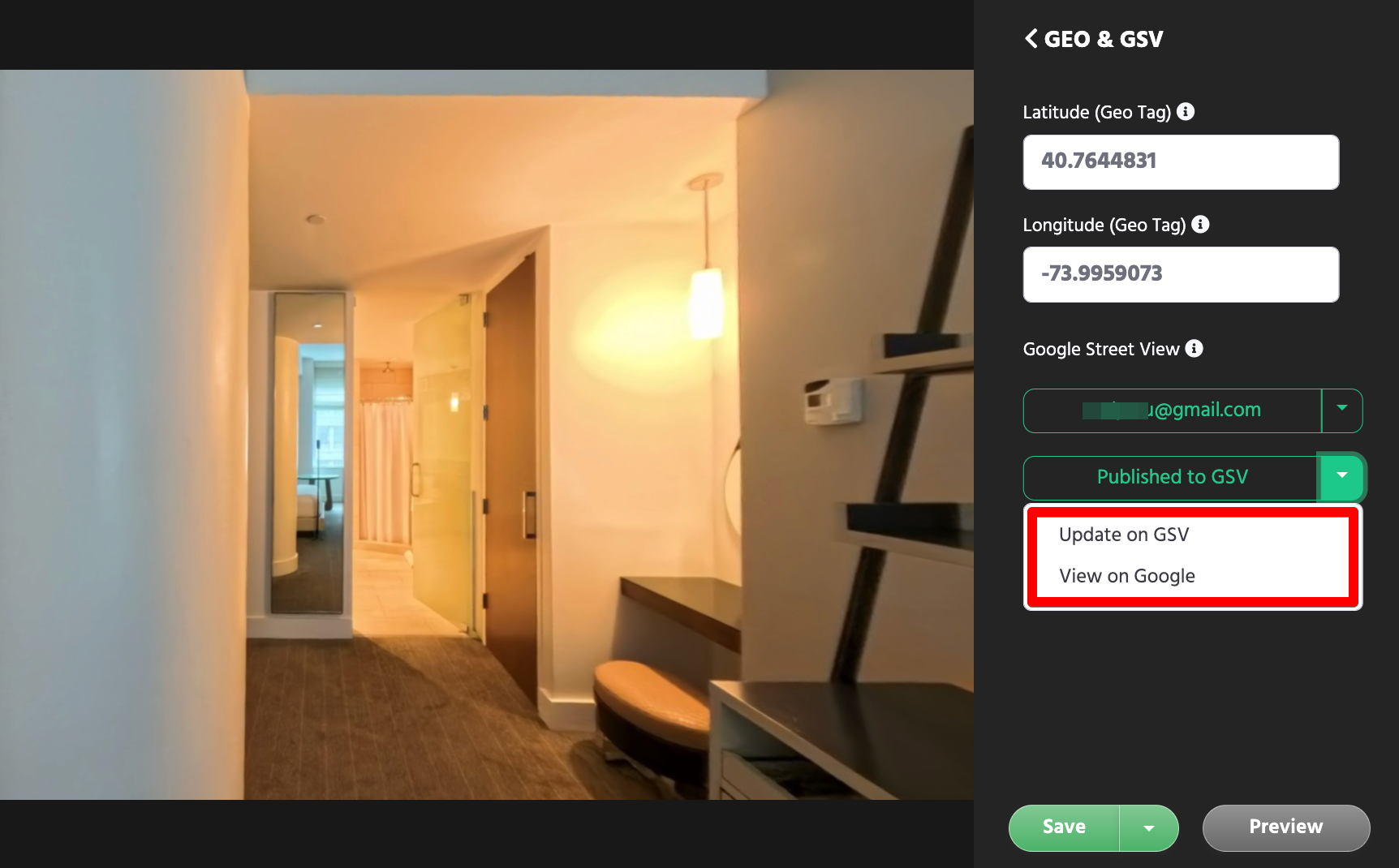
Republish Updated Panoramas to Google Street View
When you make changes to a panorama, 360are can detect modifications and help you publish an updated version to Google Street View.
360are automatically tracks:
- Published panoramas
- Panorama modifications
- Changes that may require republishing
- Google Street View publishing status
- Synchronization history
This makes it easy to manage your Google Street View content directly from your 360are dashboard without manually tracking which panoramas have already been published.
Publishing Status Monitoring
Monitor your Street View publishing activity from within your 360are dashboard.
Status indicators include:
- Not Connected
- Connected
- Not Published
- Published to Google Street View
- Update Needed
- Publishing Error
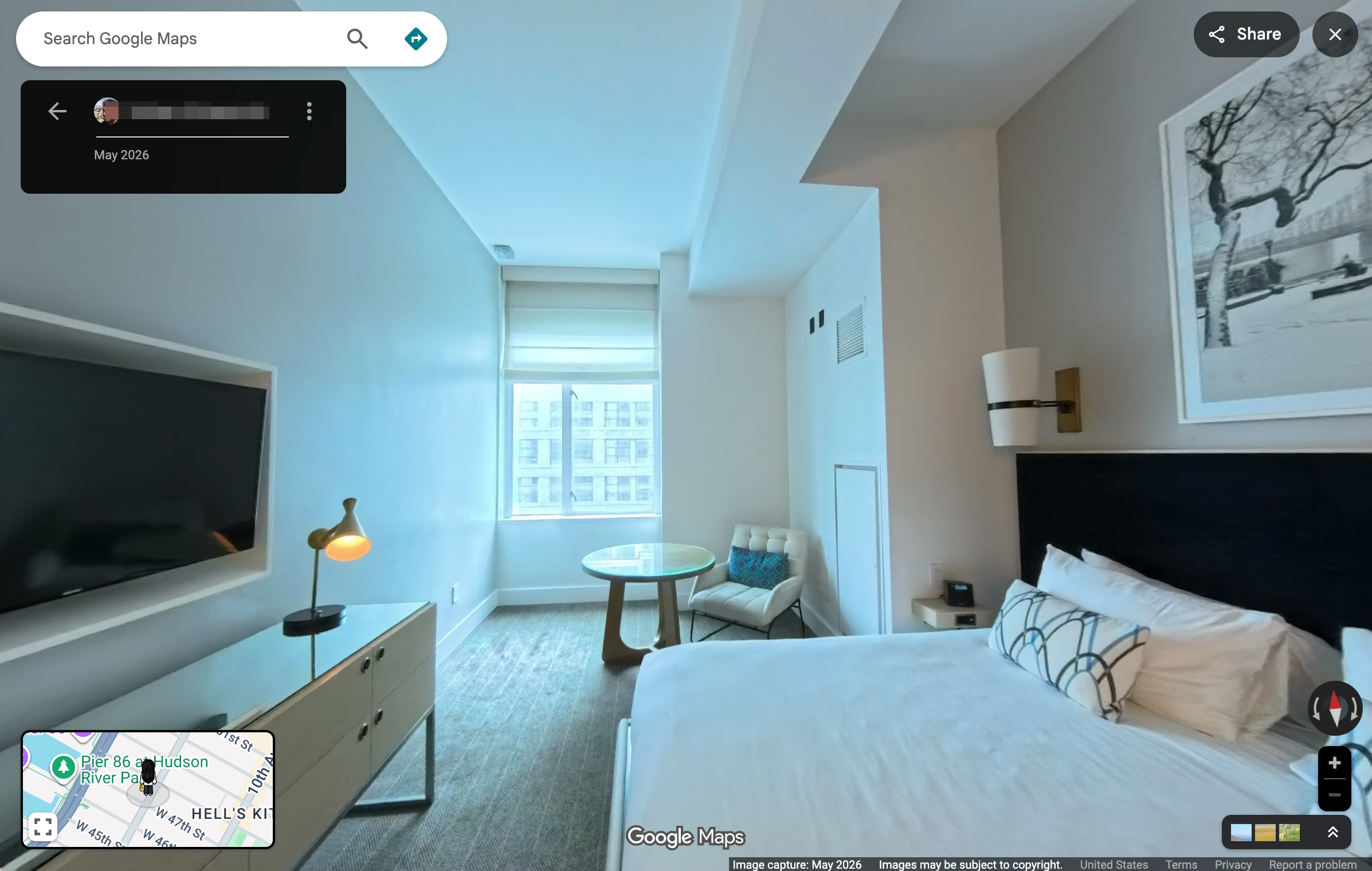
View Published Panoramas
Quickly open and review your published panoramas on Google Maps and Google Street View.
Ideal Use Cases
Google Street View publishing is valuable for many industries:
Real Estate
For eligible locations, publish imagery you have permission to share publicly. Use a hosted 360are tour for client delivery when Street View publication is not appropriate.
Hotels and Hospitality
Showcase hotel rooms, resorts, vacation rentals, event venues, and amenities.
Tourism and Attractions
Promote museums, attractions, parks, destinations, and cultural landmarks.
Restaurants and Retail
Allow customers to explore your business before visiting.
Education
Publish virtual campus tours, classrooms, training facilities, and educational spaces.
Architecture and Construction
Document projects, showcase completed work, and create visual project archives.
Why Use 360are Instead of Publishing Manually?
Publishing directly through Google APIs can be complicated and requires technical knowledge.
360are simplifies the process by providing:
- Easy publishing workflows
- Integrated Google authentication
- Status monitoring
- Panorama management
- Future virtual tour enhancements
- Centralized content management
Instead of working directly with APIs and developer tools, you can focus on creating great immersive experiences.
For the controls shown in the editor, see Geo & GSV in the settings guide. Start with uploading your panorama and review the supported image requirements.
Current Release Status
The workflow documented here covers individual panoramas:
- Connect Google account
- Publish panorama
- View publishing status
- Update published panorama
- View published results
This functionality is already suitable for many real-world publishing scenarios.
Planned Future Enhancements
We continue to improve our Google Street View integration.
Planned features include:
Place Association
Associate panoramas with specific businesses and locations using Google Place IDs.
Improved Business Listings Support
Help businesses connect published panoramas to Google Business Profiles.
Multi-Panorama Publishing
Publish multiple panoramas more efficiently.
Panorama Linking
Explore support for connected Street View experiences between multiple panoramas.
Enhanced Publishing Analytics
Track publication history and synchronization details.
Bulk Management Tools
Manage larger collections of Street View content.
Frequently Asked Questions
Do I need to be a Google Street View Trusted Photographer?
No. Any user with a supported Google account can publish eligible 360 panoramas.
Do I need GPS coordinates?
Add and verify accurate coordinates before publishing so the panorama represents the correct location. Follow any required location fields shown by the publishing dialog.
Can I update a panorama after publishing?
Yes. 360are supports updating published panoramas when changes are detected.
Does 360are host my panoramas?
Yes. 360are provides hosting and management for your panoramic content while also supporting Google Street View publishing workflows.
Can I create full virtual tours?
Yes, you can build multi-scene tours hosted on 360are. Publishing those same images as a connected Street View tour is a separate capability; panorama linking is listed among the planned enhancements below the current workflow.
Start Publishing Today
If you already have a 360 panorama, you can connect your Google account and publish directly from your 360are dashboard in just a few steps.
We are actively improving our Google Street View integration and would love to hear your feedback, feature requests, and ideas.
Please contact 360are Support to share feedback, report issues, or suggest future enhancements.