360are Support360are Support
Home
Browse
About
Pricing
Contact
Sign In
Home
Browse
About
Pricing
Contact
Sign In
  • Get Started
    • Beginner’s Guide
    • Equirectangular Images
    • What Is Free?
    • Upload Overview
    • Supported Formats
    • Upload Photos
    • Panorama Settings
    • Manage Assets
  • Build and Customize
    • Create a Tour
    • Hotspots
    • Tour Settings
    • Interactive Floor Plans
    • AI Chat
  • Publish and Share

    • Share and Embed
    • Branding and MLS Links
    • Google Street View Publishing
  • Leads and CRM

    • Enable Lead Capture
    • Manage and Import Leads
  • Photography Business

    • Add Tours to Your Business
    • Price Your Tour Services
    • Compare Tour Software
    • Independent Tour Sharing
  • Compare Platforms

    • 360are vs CloudPano
    • 360are vs Kuula
    • 360are vs Ricoh360 Tours
    • 360are vs Panoee
    • 360are vs Matterport
  • Camera Guides

    • Compare 360 Cameras
    • Insta360 X6
    • DJI Osmo 360 II
  • Industry Examples
    • Art Galleries and Exhibitions
    • Architects and Interior Designers
    • Schools and Universities
    • Real Estate Marketing
    • Sustainable Tourism and Discovery
    • Virtual Showrooms for Retail and Product Discovery
    • Offices and Coworking Spaces
    • Hotels and Resorts
  • Troubleshooting

Asset Management

360-degree panoramic images uploaded to 360are platform and virtual tours that represent a collection of images are referenced as assets. Both panoramic 360-degree images and virtual tours are listed under All Assets section after they are uploaded or created.

Dashboard section lists the latest assets you worked on for convenience.

To edit and customize your assets, go to All Assets section and edit each asset's configurations by clicking an action button and selecting "Edit Settings" for panoramic images or "Edit VR Tour" for virtual tours.
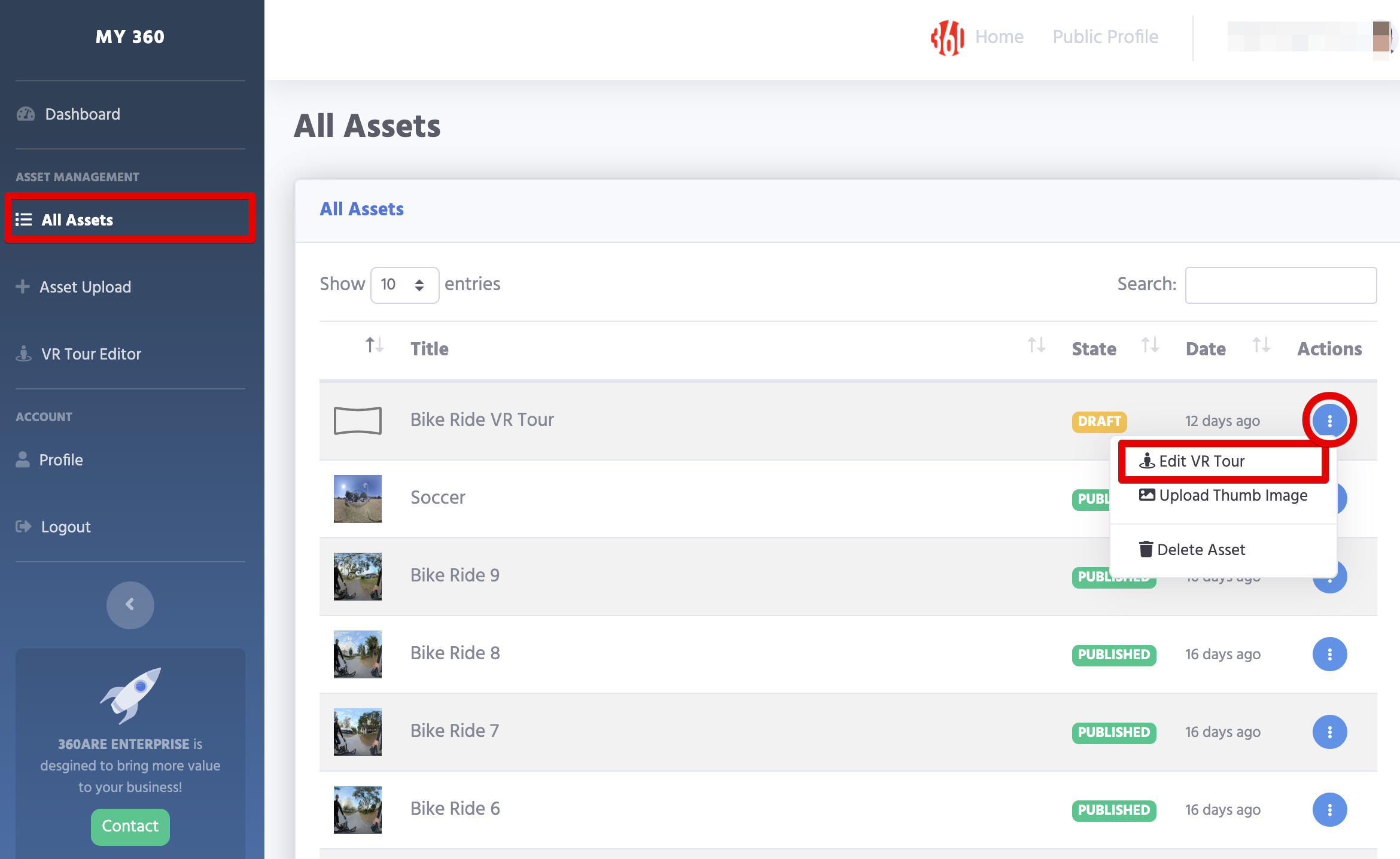
All Assets

Read Configuration Options and Tour Configuration Options for more details respectively.

Next Steps

  • How to Upload 360° Photos to 360are
  • How to Create a Virtual Tour in 360are
  • Virtual Tour and Panorama Settings
  • How to Share and Embed a 360are Virtual Tour
  • Managing Virtual Tour Leads in the 360are CRM
Prev
Panorama Settings